PlanGrid · 2016–2018
Participatory Research & Wildly Complex Workflows
Lacing up our steel-toed Red Wings to understand one of construction's most dreaded processes, and building the tool that made it manageable.
Introduction
PlanGrid was a cloud-based platform for construction documents, from Y Combinator's W12 cohort. Contractors and architects used it to view, share, and mark up blueprints, plans, photos, and reports across desktop, tablet, and mobile. In November 2018 Autodesk acquired it, and it became Autodesk Build (now part of Autodesk Forma).
Digitizing the submittals process for large construction projects was easily the most complex UX challenge of my career. To get our arms around it, our team ran a participatory research program that turned out to be the most useful research approach I've experienced, and it has shaped my work ever since.
01 · Submittals
What is a submittal?
A submittal is the precise specification for one element of a building, from the foundation to the screws in the bathroom door. The general contractor, subcontractors, and architect have to agree on cost, sourcing, and timing for every one of them.
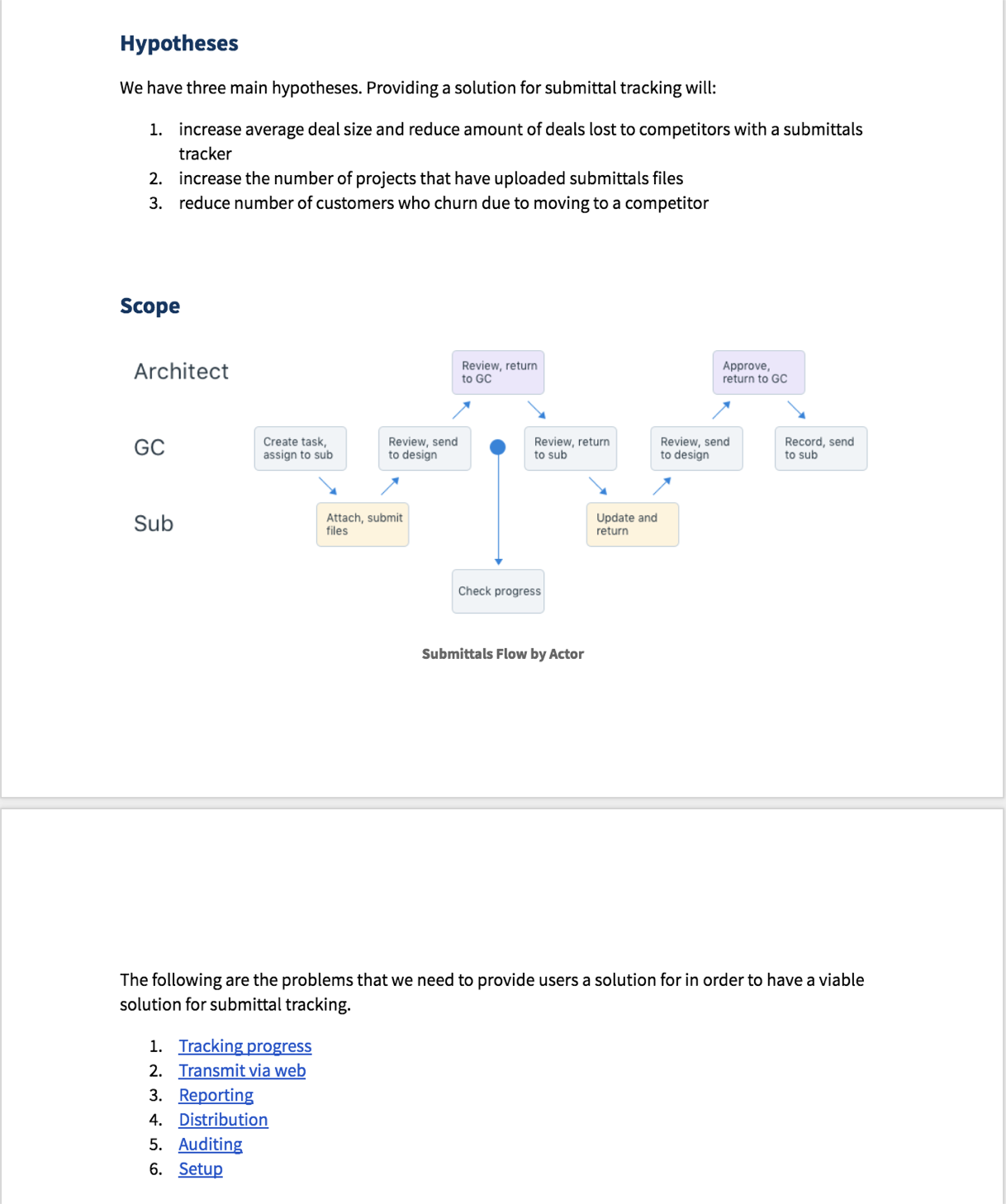
Roughly: the architect publishes a huge spec book, the GC carves it into items for each sub, subs assemble and submit packages, the GC reviews and passes them to the architect, and the architect approves or rejects. Any rejection sends the item back a step.
In every interview we held, with GCs, trades, and architects alike, submittals came up as the most frustrating part of building.
02 · DIY User Empathy
Running real submittals
Designing a subscription product meant a deeply invested client base. We kept monthly check-ins with several trusted clients, and our process began with more than 20 interviews with GCs, subcontractors, and architects.
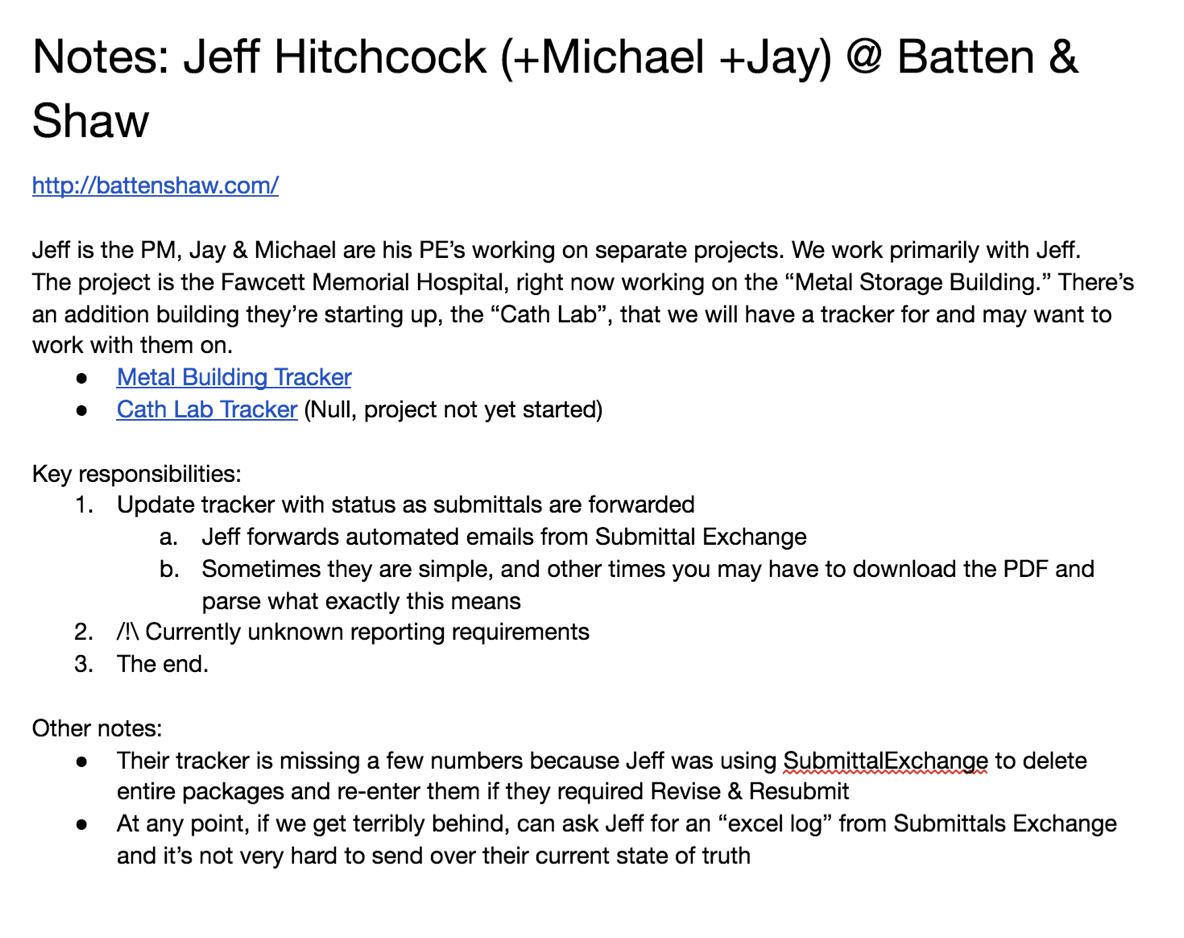
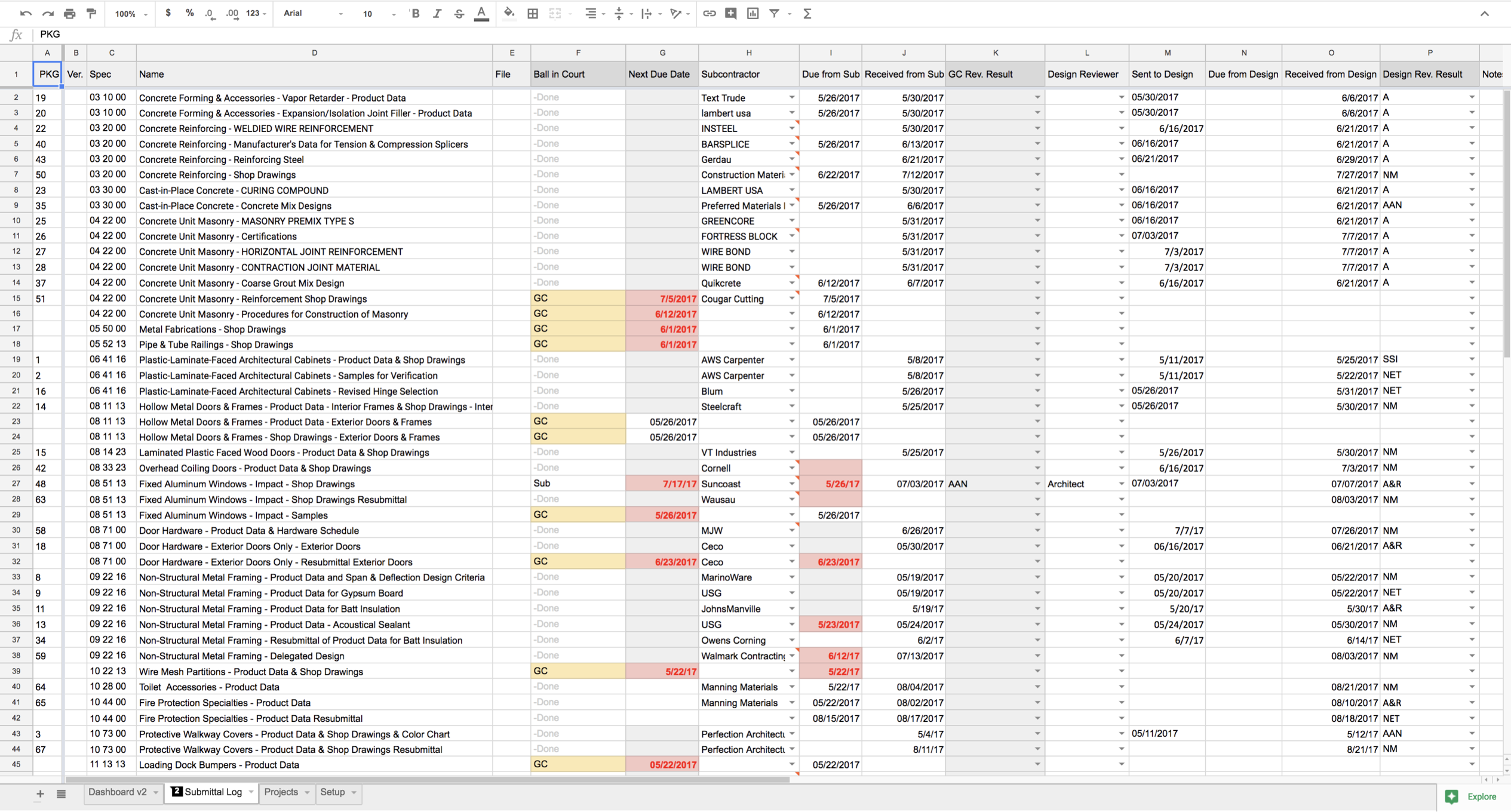
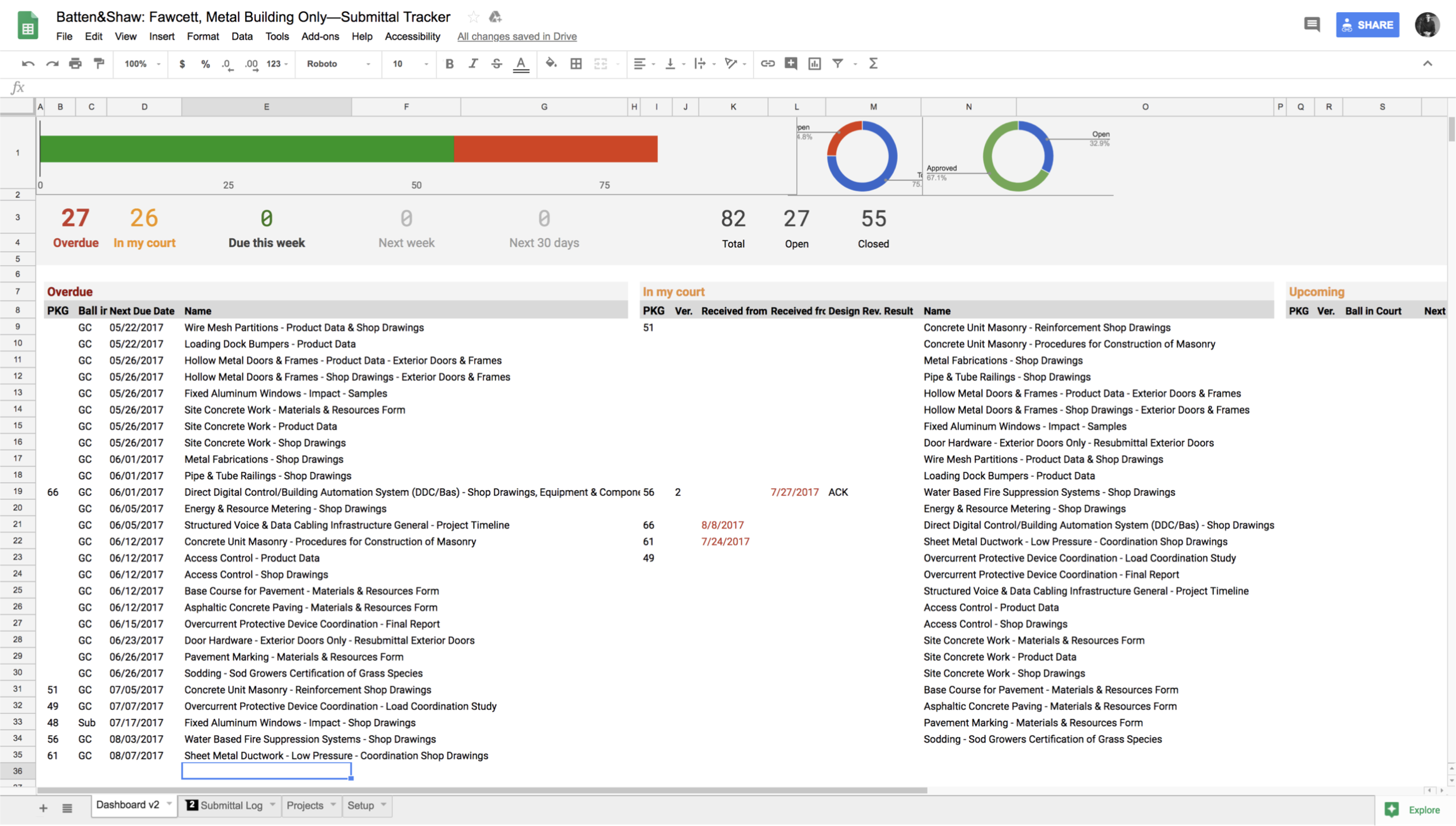
One of them was Nashville general contractor Batten | Shaw, and we asked to take the research further: track every submittal on their next real project ourselves. They ran their process as normal and copied us on every submittal email. Each morning we logged the data in our own spreadsheet and experimented with layout and macros as an MVP prototype, then compared results with them every two weeks.
They agreed. We got started.
03 · Research Synthesis
From pilot to product
After a month of the pilot we pulled together what we'd learned, decided on the core feature set for the beta, and wrote the PRD and user stories.
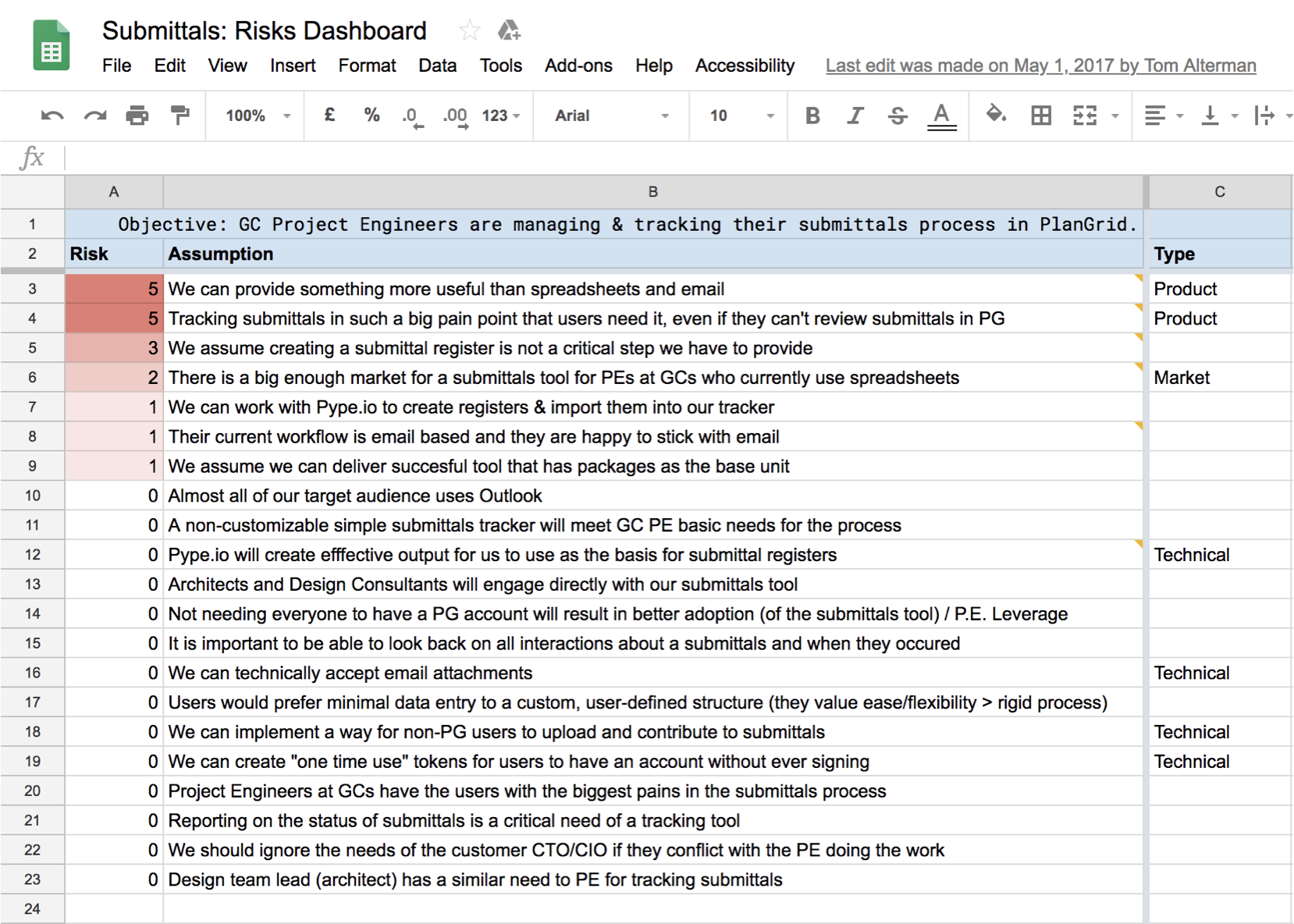
The most clarifying tool was our risks dashboard. It lists every assumption behind the approach and grades each one by how bad it would be if we were wrong. It's a gut check that works for anything from a micro-interaction to whether a feature is worth building at all.
We landed on six pieces: automatic spec extraction, a table-based submittal tracker, a priority dashboard, simple meeting metrics, a workflow tracker, and reporting.
04 · Automatic Spec Log
Days of manual work, removed
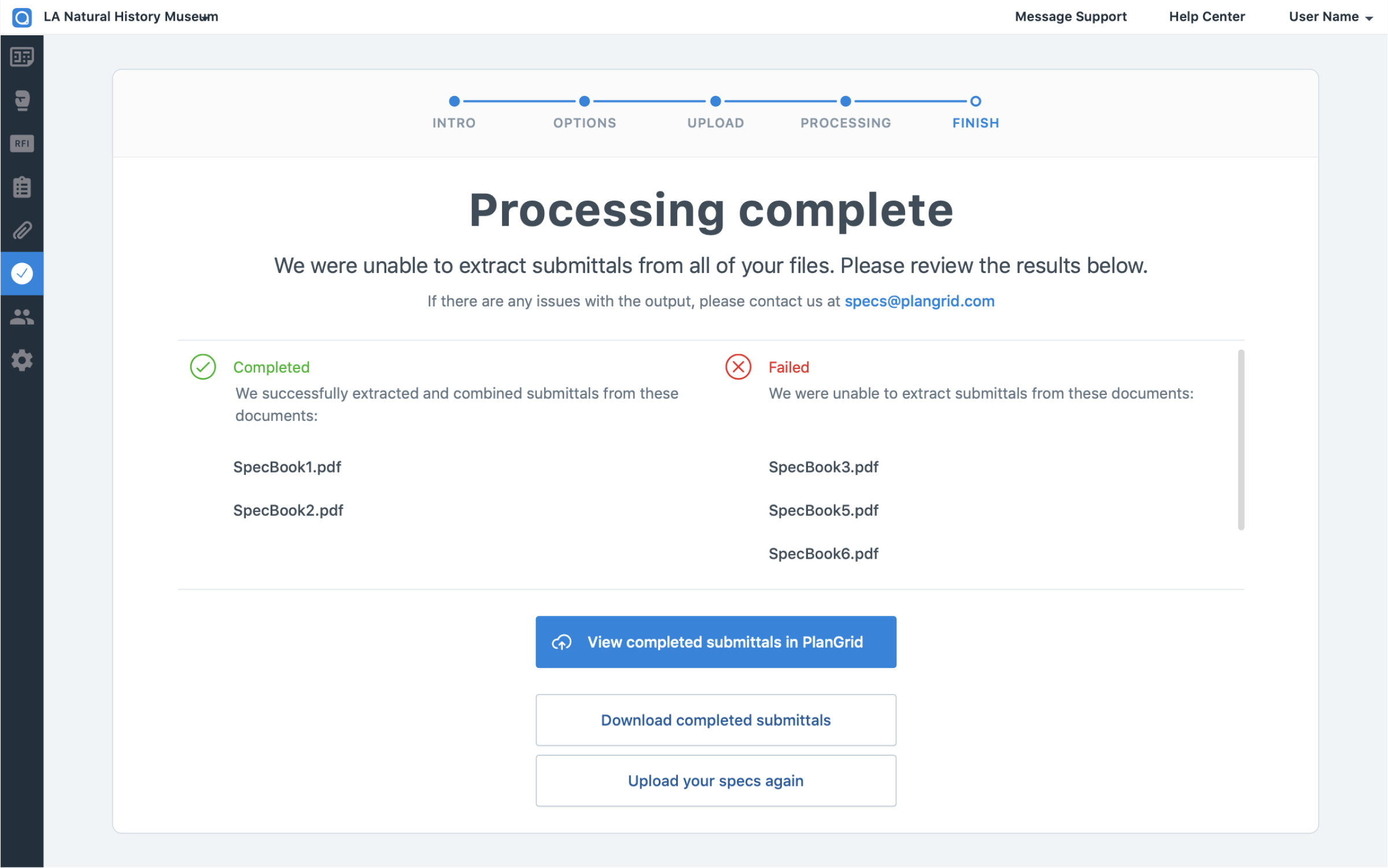
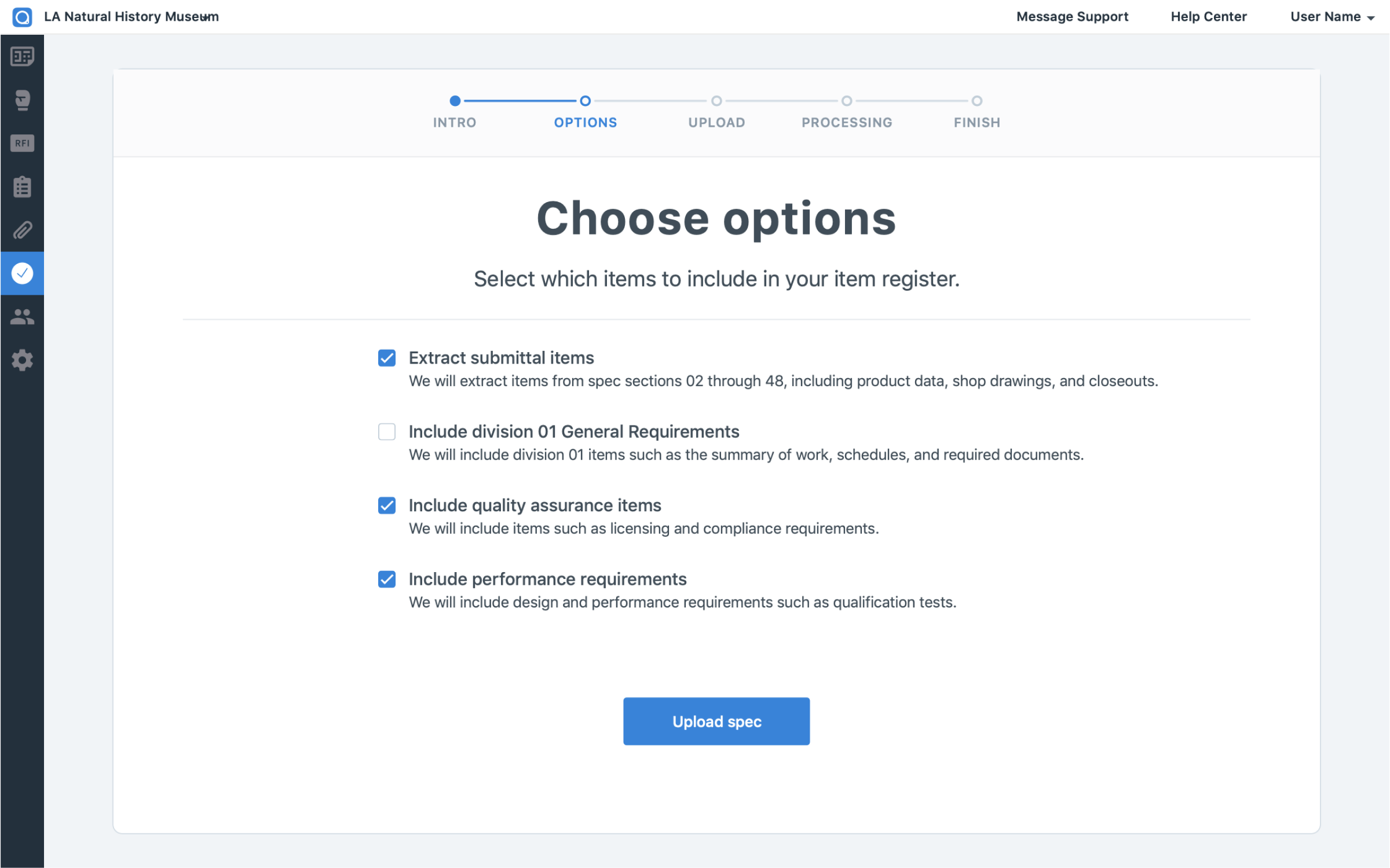
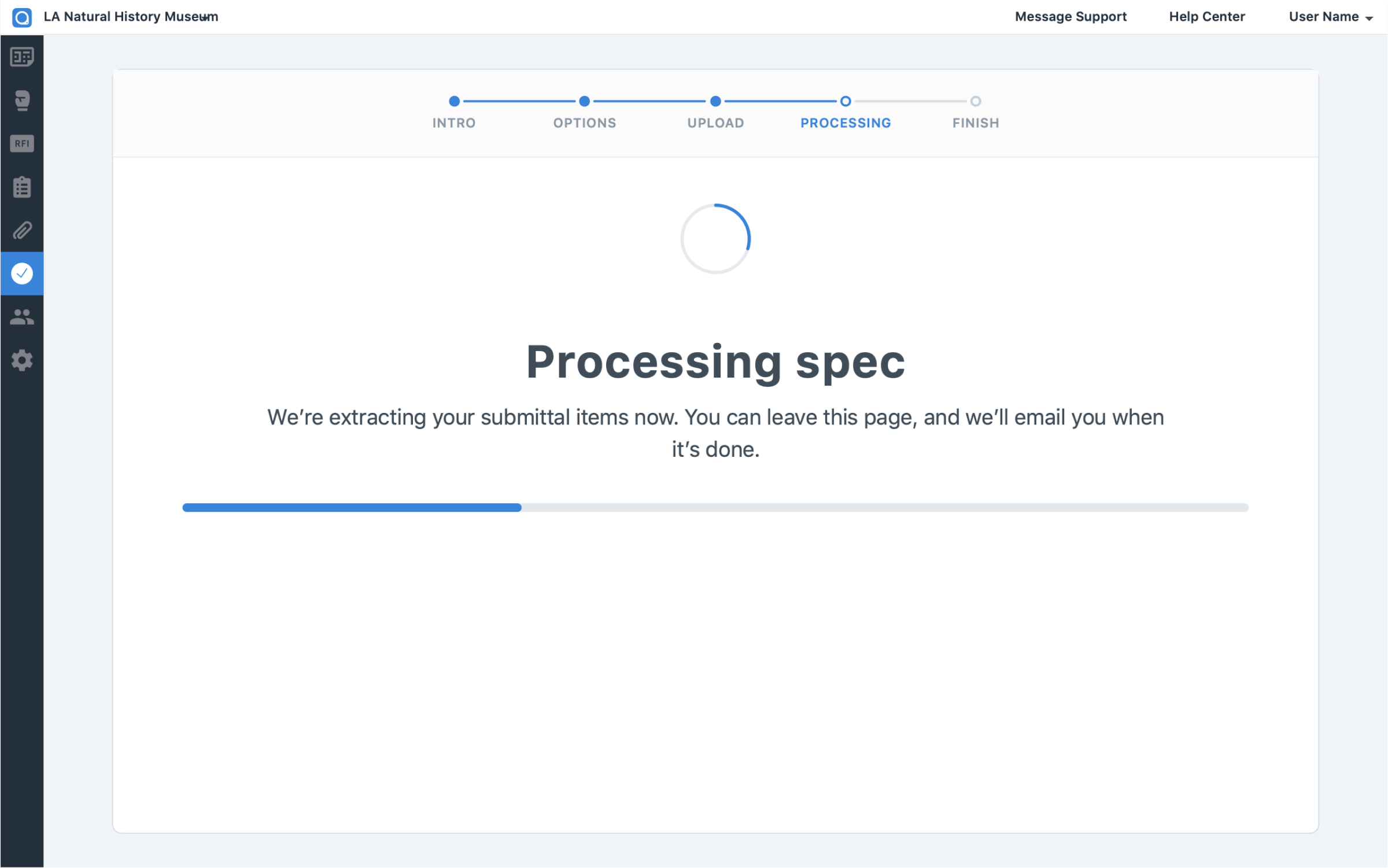
A GC used to spend days reading a specification PDF and entering submittal items by hand. The Automatic Spec Log extracts every item from the spec book and loads it straight into PlanGrid's submittals tool.
05 · Dashboard
What needs attention, and whose move it is
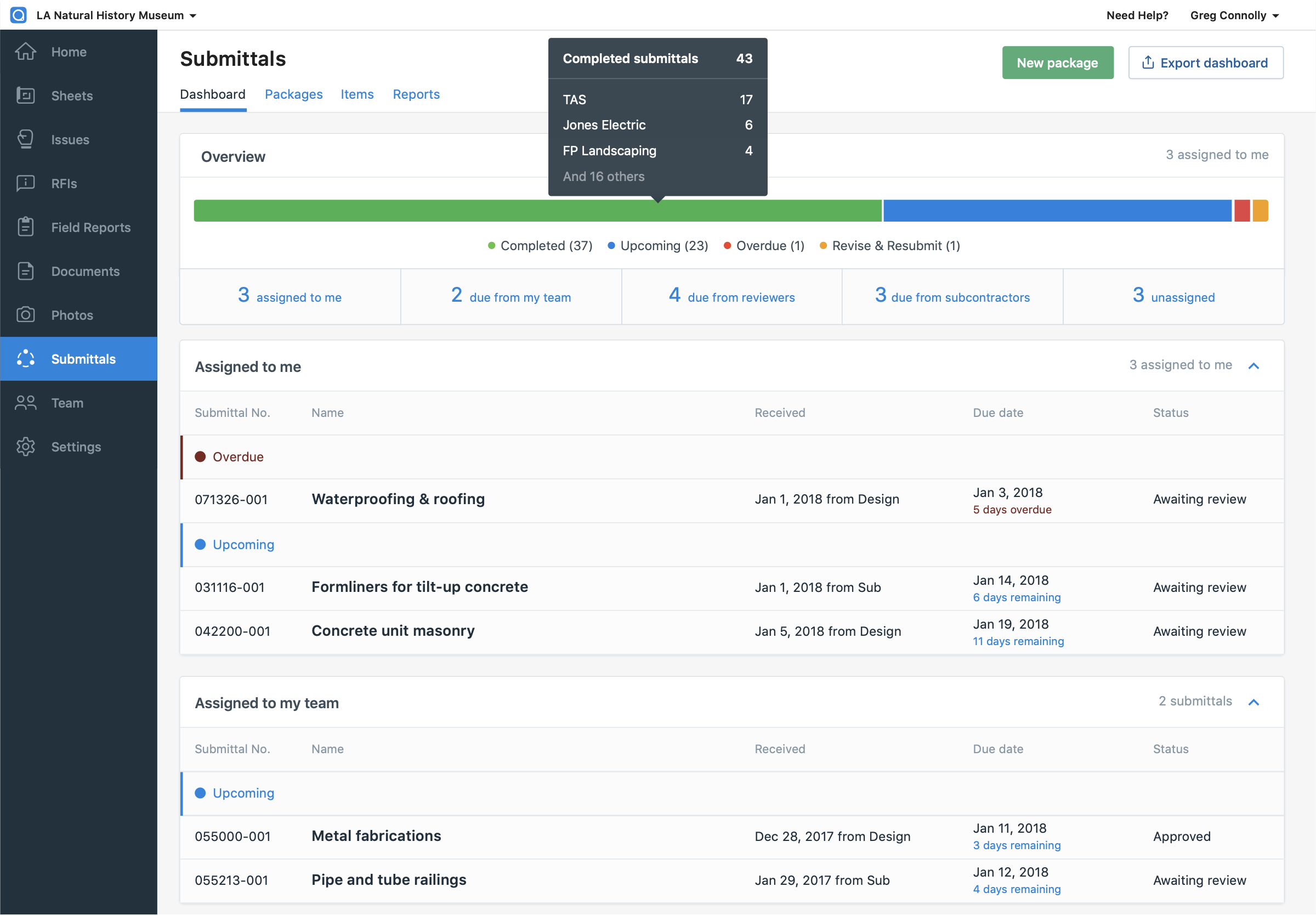
The submittals dashboard gives a high-level view of a whole project, focused on what needs attention now and grouped by the party responsible for it.
An export turns it into a visual document for the weekly owner, architect, and contractor meeting, so everyone gets up to speed without getting lost in detail.
06 · Logged-Out Subcontractors
A full workflow without an account
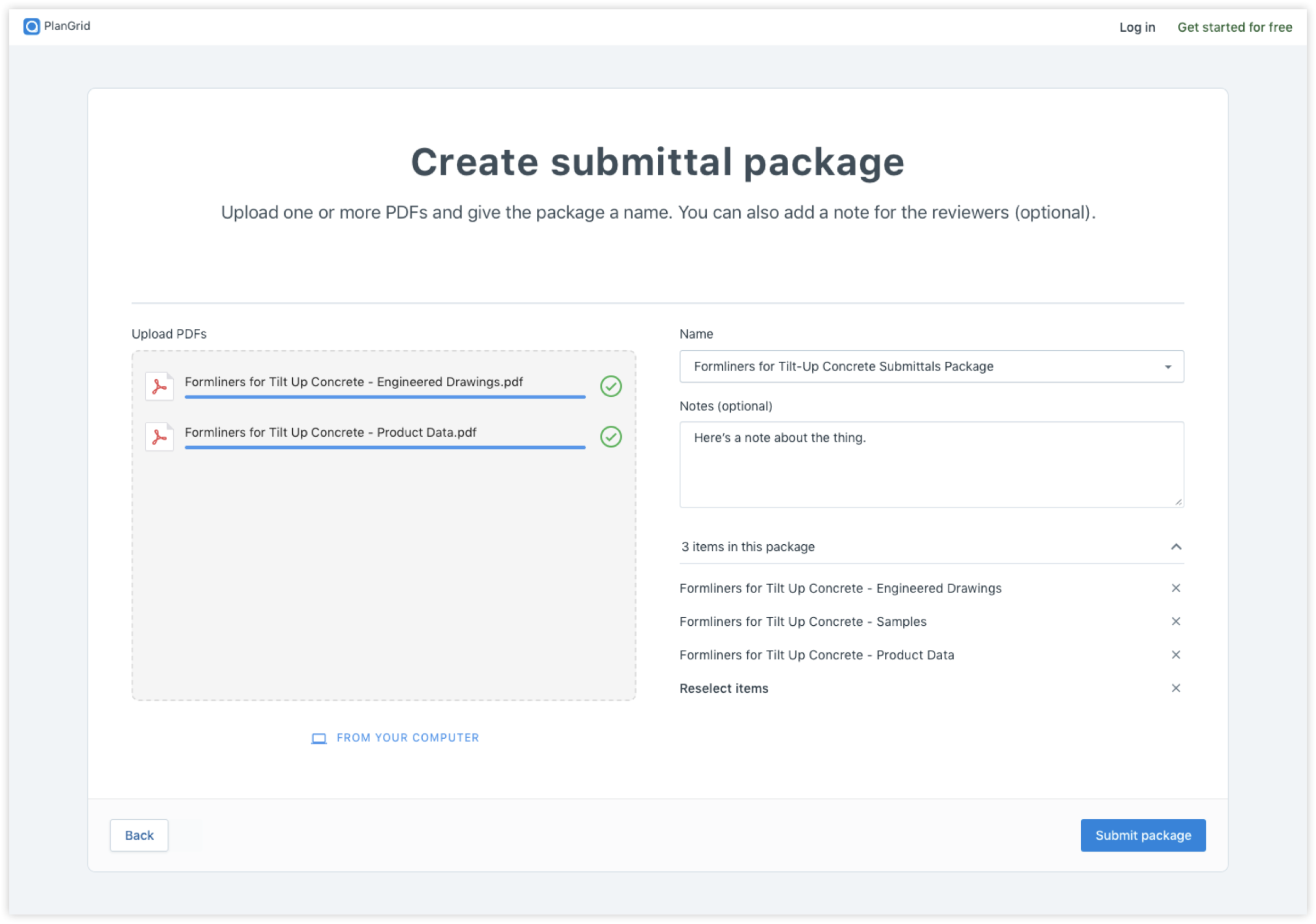
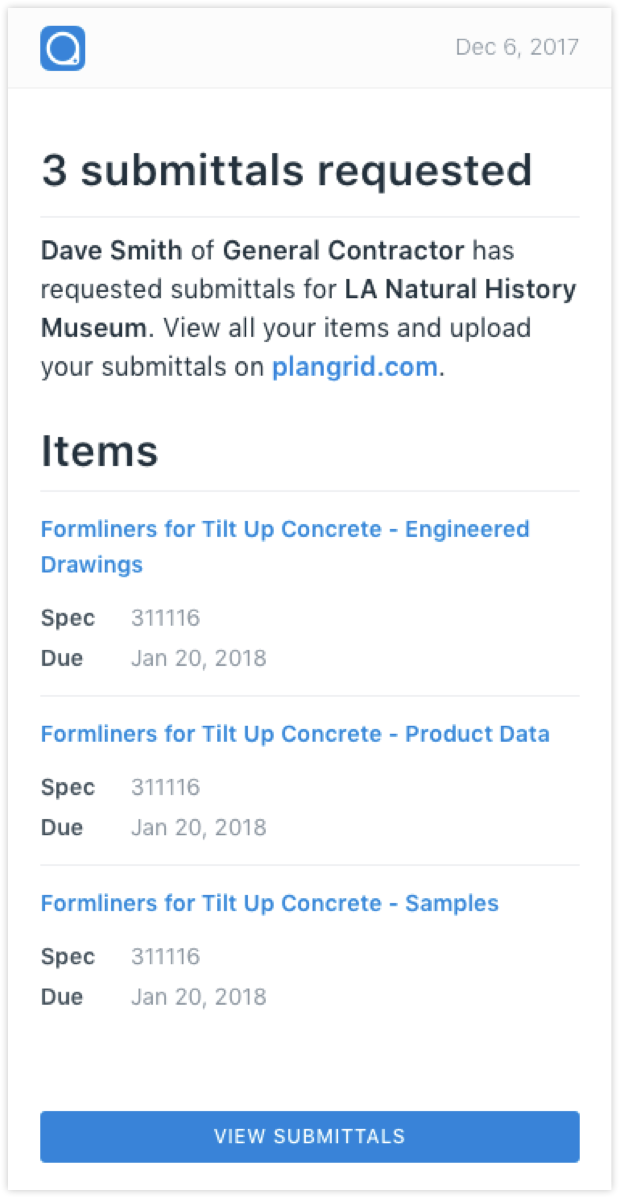
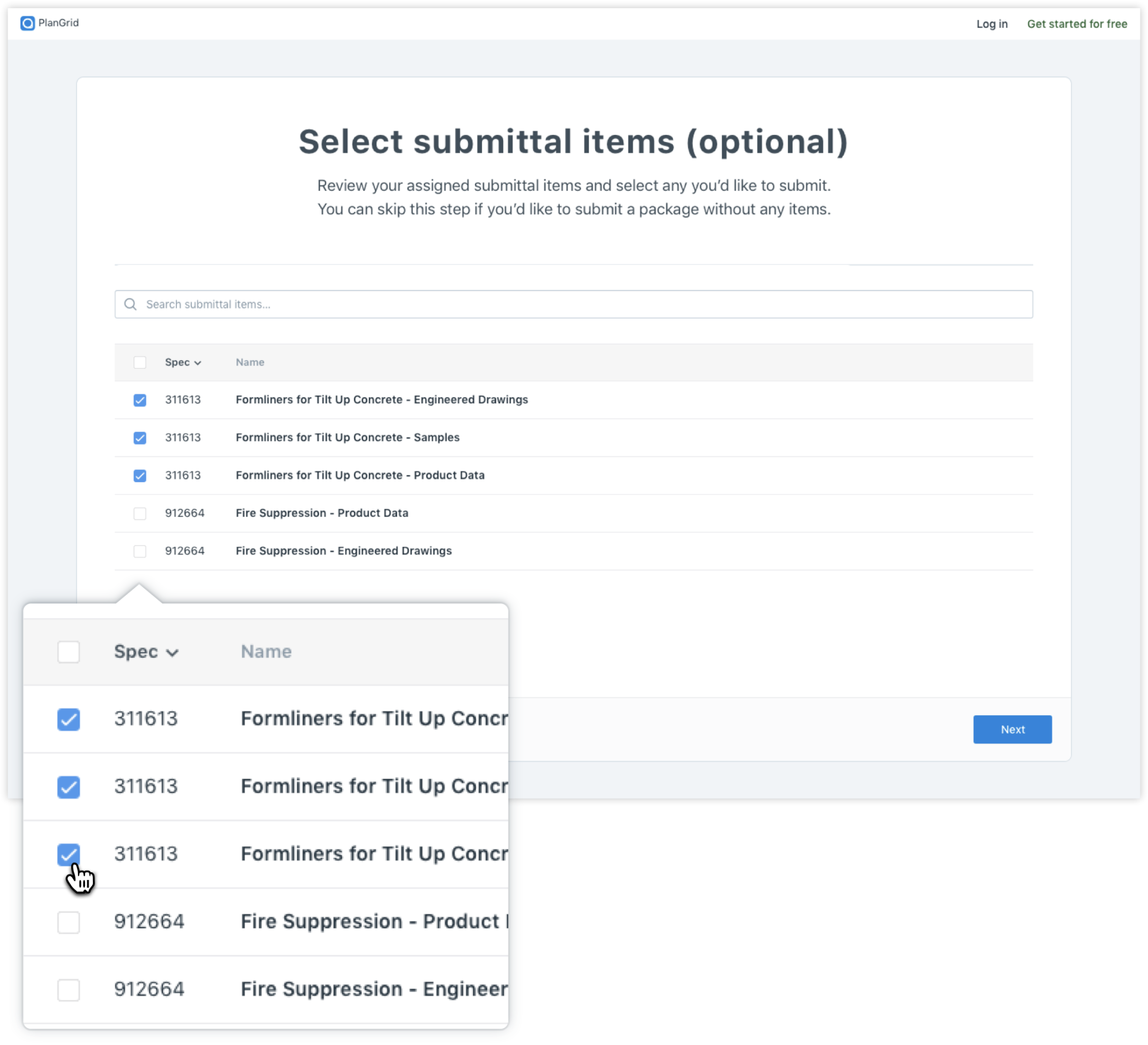
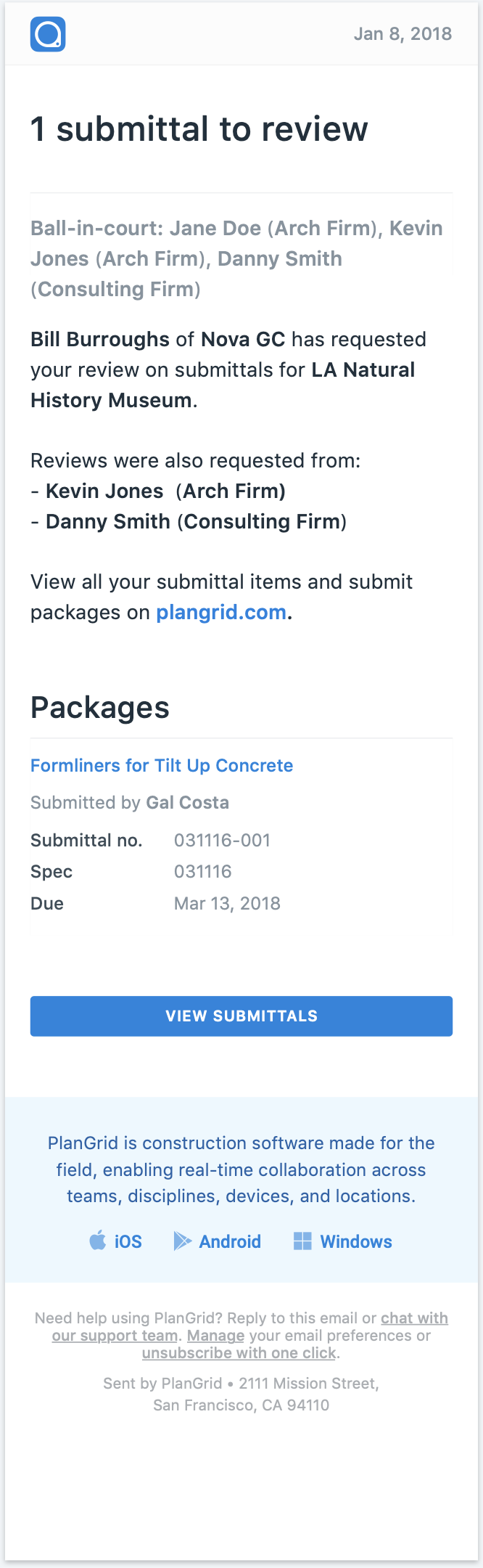
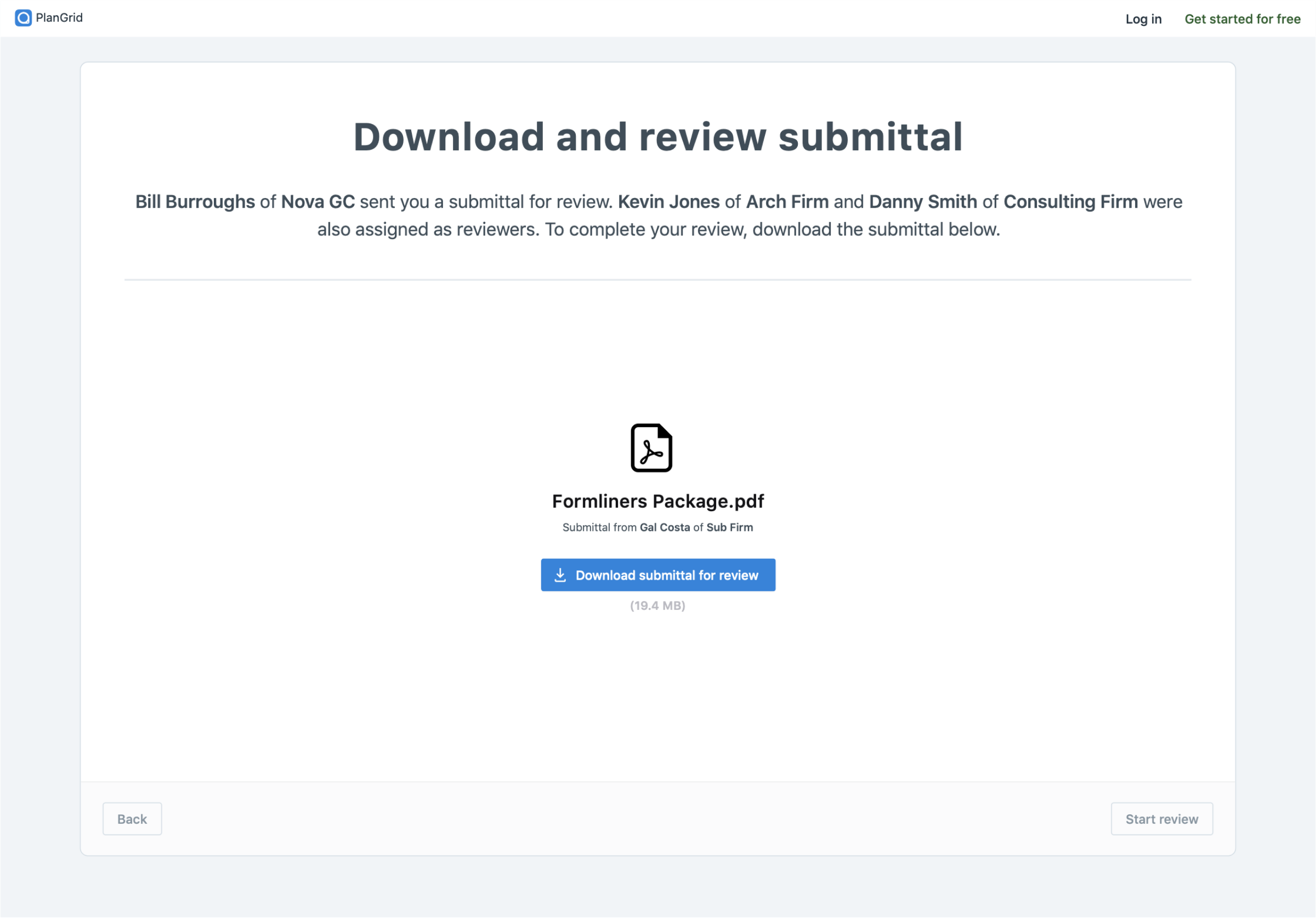
Most subcontractors didn't have PlanGrid accounts, since the product was sold mainly to GCs. Email notifications paired with a logged-out file interface gave subs full participation in the workflow without ever signing up.
07 · Logged-Out Architects
Review without registration
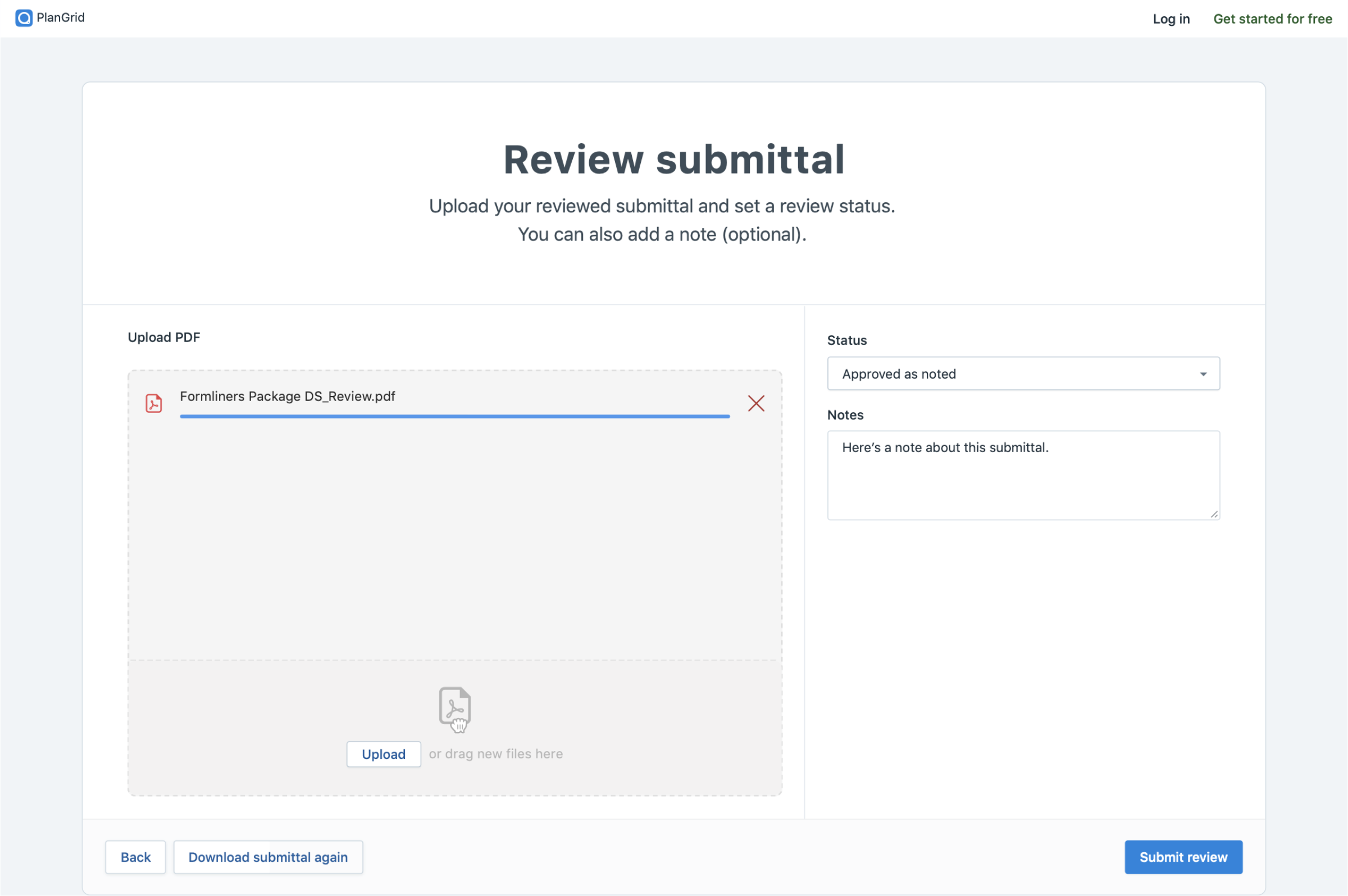
Architects usually didn't have accounts either, and by industry convention they never communicate directly with subcontractors; the GC always sits in between. Their logged-out flow respects that contractual line while keeping reviews moving.
08 · Workflow & Distribution
The whole lifecycle, on the record
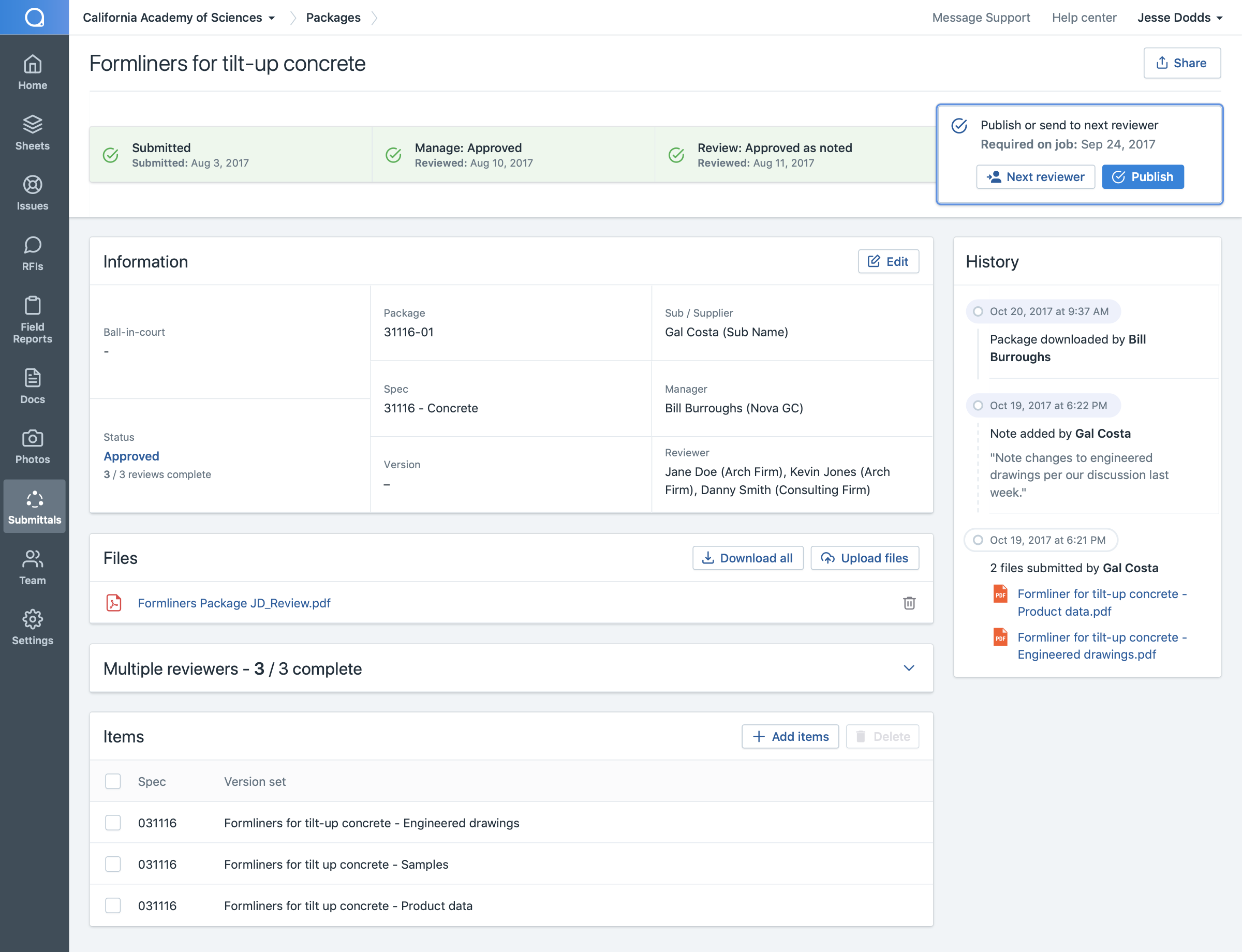
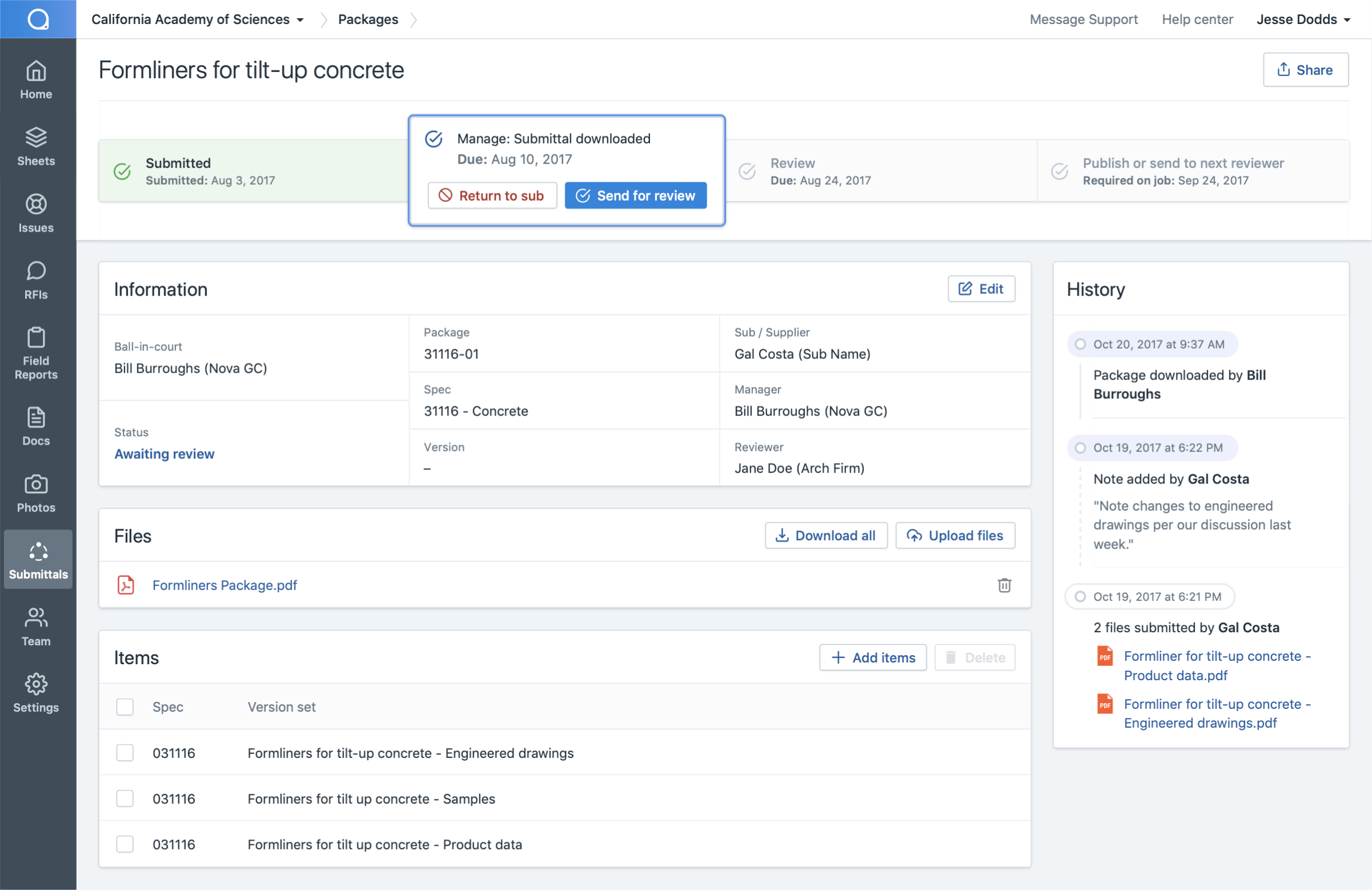
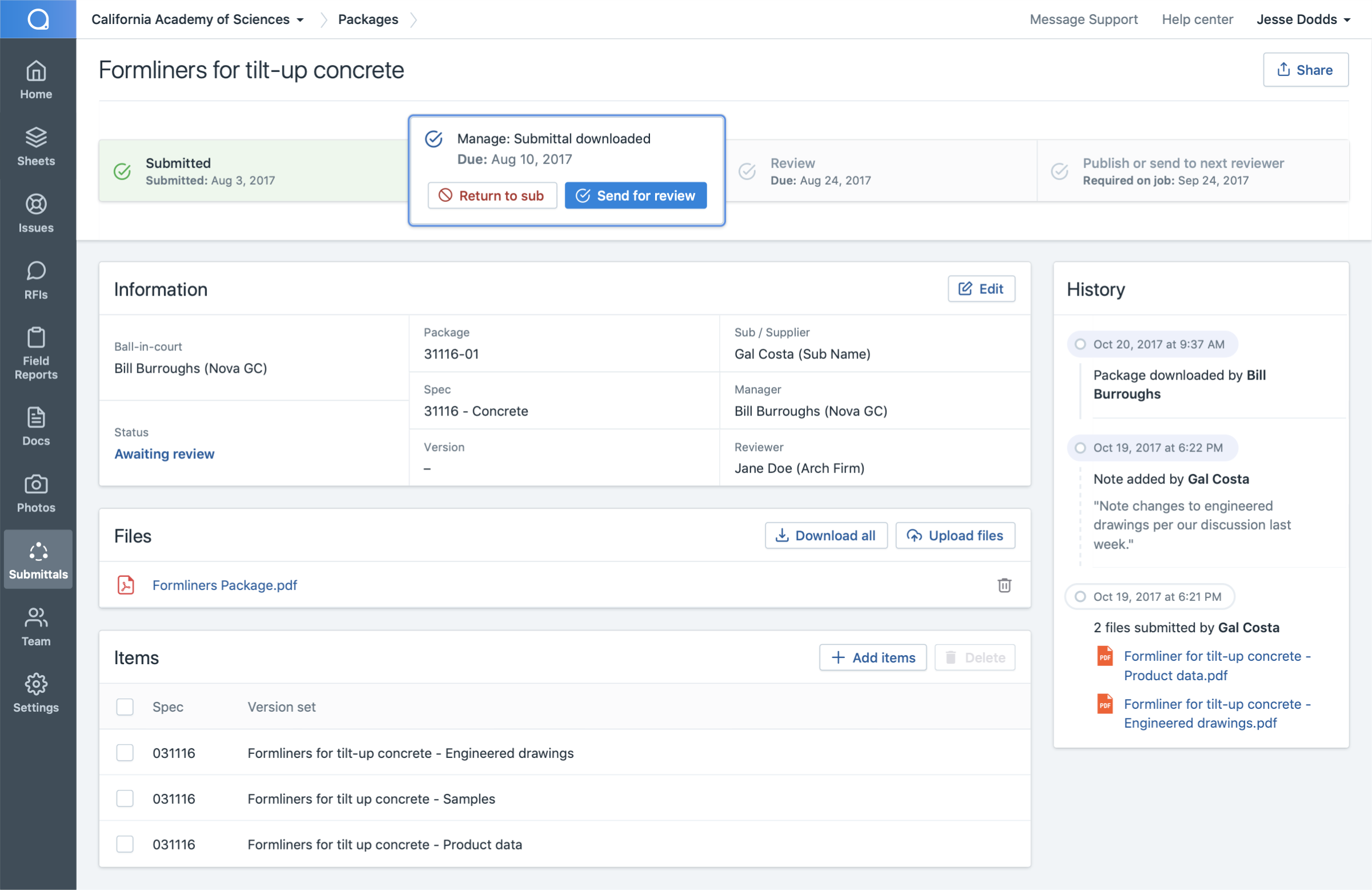
Each submittal's detail page breaks its lifecycle into four steps, and every step can send it forward or back for revision. A history log of every action keeps reporting accurate and protects all parties if (when) things end up in litigation.
Once every party approves, the submittal is published to the team: a clear record of approval, notice to everyone involved, and the official go-ahead for the work it governs.