8tracks · 2009–2015
Designing for Music Nerds
A music streaming service powered by human curation, built by a tiny team on $3.5 million in funding, for up to 7 million monthly listeners across web, iOS, Android, and Xbox.
Introduction
8tracks was a music streaming service built on user-curated playlists. Fans made playlists of eight or more songs and added a title, cover art, description, and tags for genre and mood. Listeners found them by browsing and combining those tags, then followed the DJs whose taste they liked.
8tracks launched on 08/08/08. I joined in 2009, doing production design and answering support emails on nights and weekends before we had funding, and came on full time in 2010. Through the end of 2015 the product team stayed small: usually two backend developers, one frontend, one per native app, a PM, and me, on $3.5 million in total funding. We built apps for web, iOS, Android, and Xbox, with integrations for SoundCloud, Bandcamp, and Sonos.
By 2016 the community had made 2.5 million playlists, and at its 2012 peak 7 million people a month were listening. BackBeat Inc. bought 8tracks a few years later, but sadly the service eventually shut down after Spotify ate the streaming music world whole.
01 · Constraints & Challenges
Designing in the name of the law
8tracks ran under the Small Webcaster License of the Digital Millennium Copyright Act. Staying legal meant hard rules: playlists had to run over 30 minutes, on-demand listening was forbidden, skips were limited by listening time, and tracklists couldn't be shown in advance.
With those rules, a small team, and the usual problems of social products, the mandate was to help new listeners understand an unusual service, lead with our greatest strength, human curation, make a huge playlist library fast and fun to browse, and work with the fuzziness of user-controlled tags.
02 · New User Landing Page
Getting new users to the first play
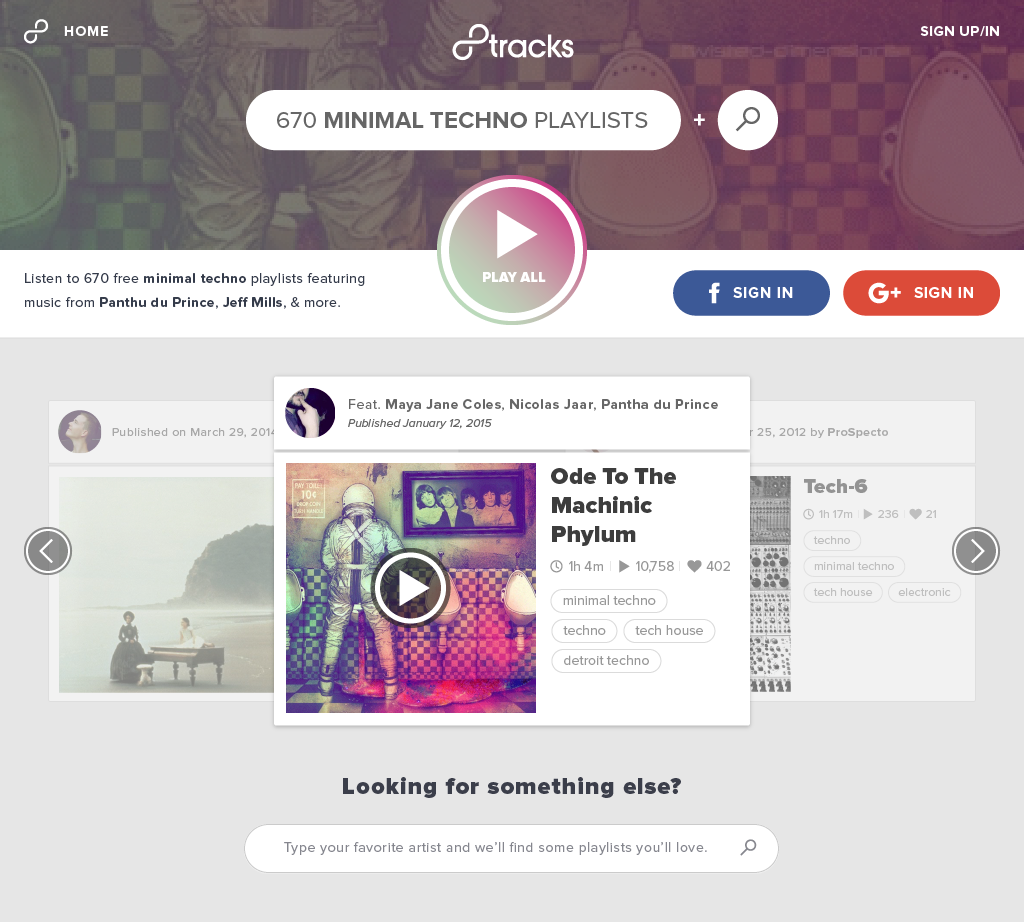
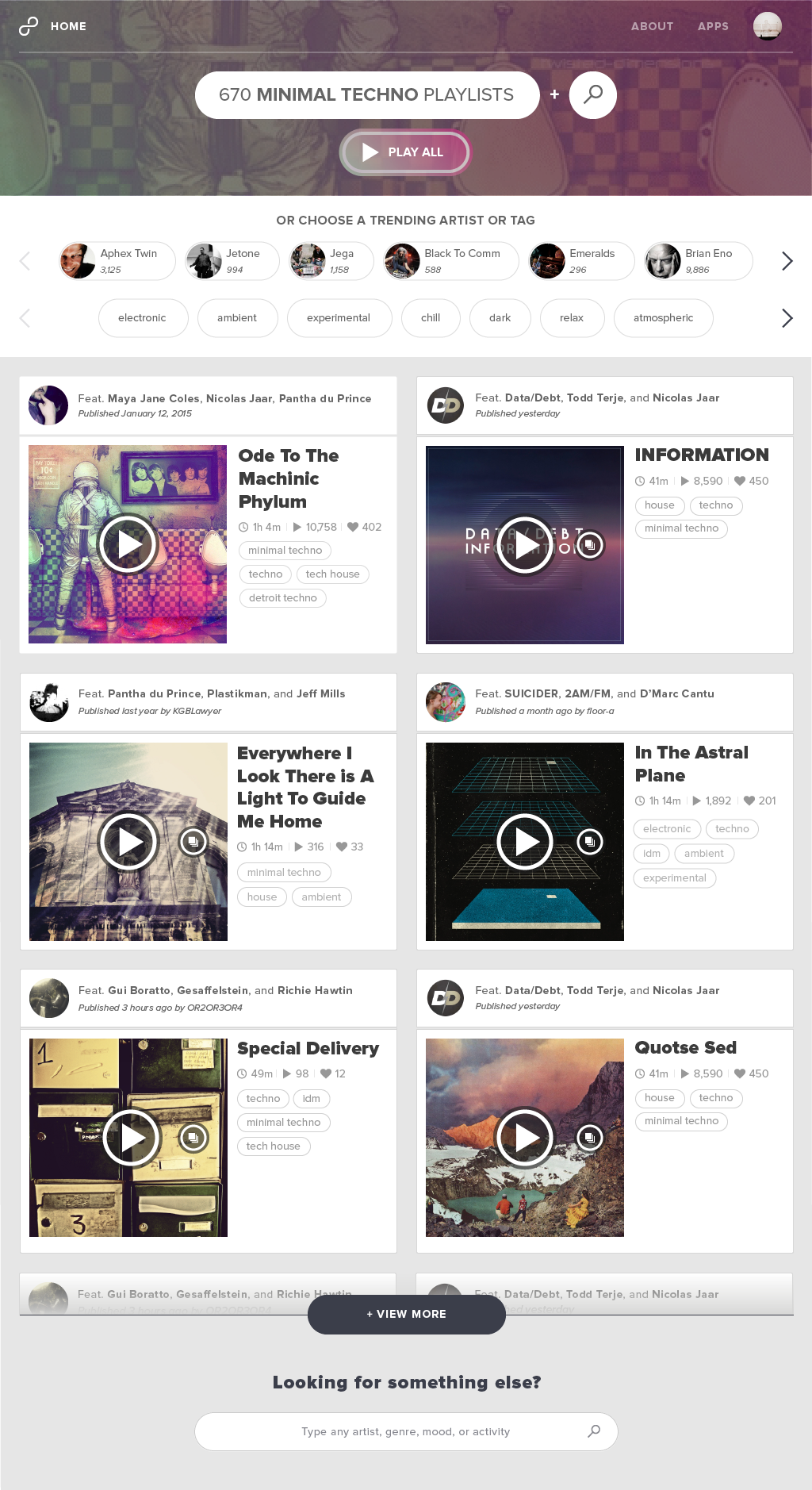
Most new listeners arrived from search, looking for something like “minimal techno mixes”, so the logged-out tag page had to carry a lot of weight.
First, show them we had plenty of whatever they wanted: the playlist count for the tag leads, with a collapsed search input nearby as an easy first taste of combining tags. Analytics showed retention tracked most closely with pressing play on the first visit, so a big Play All sits front and center, and a carousel of popular playlists lets pickier listeners sample without the full list.
03 · Logged-in Tag Page
Combinatory browse
For returning listeners, a tag cloud under the search shows the genres, moods, and artists most associated with the current tag. Pick a second, say “ambient” alongside “minimal techno”, and results narrow to playlists carrying both, while the cloud updates to display all the tags related to the new combination.
A blank tag is always waiting on the right for anything the listener wants to type. From any starting point, a curious listener can go as narrow or as far afield as they like.
04 · Playlist Page
Content-aware design
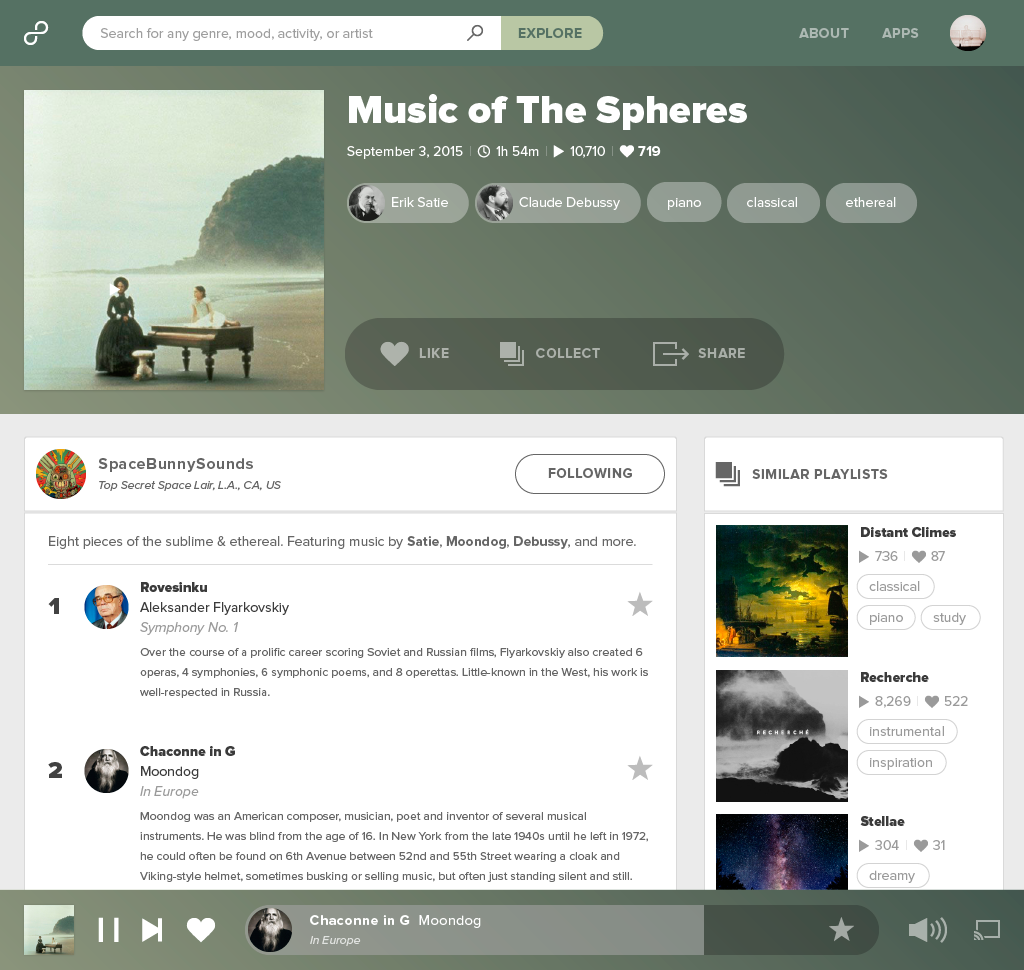
A playlist is at least eight songs arranged by its DJ, tagged for mood and genre, and defined by its art, notes, and title. Track annotations let DJs add commentary song by song, and similar playlists and listener collections sit in the sidebar.
One of the coolest parts of working on 8tracks was the endless stream of wonderful user-made cover art. To make each page true to its creator, we sampled colors from the cover and built a blurred gradient for the player and page background. Every page felt different, and every page looked like its cover.
05 · DJ Profile Page
The community at the center
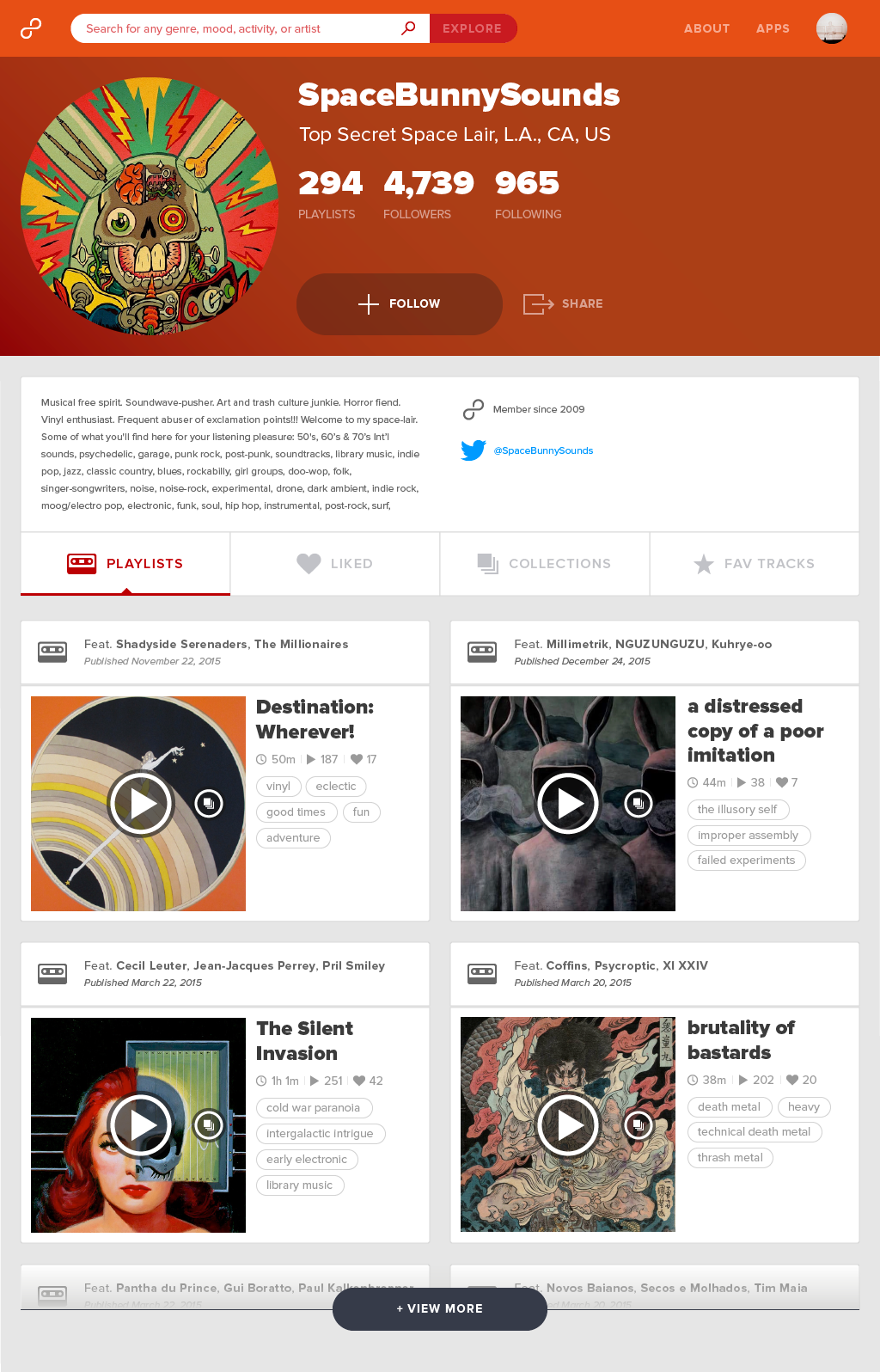
DJ profiles use a one-way following model: name, avatar, bio, and followers, alongside published playlists, liked playlists, collections, and favorite tracks.
The favorite tracks tab surfaced a YouTube link for each song, a small back door to on-demand listening for anyone who wanted to put a new find on repeat, and a quiet echo of the Soulseek era.
06 · 8tracks on Chromecast
Content-aware design at TV scale
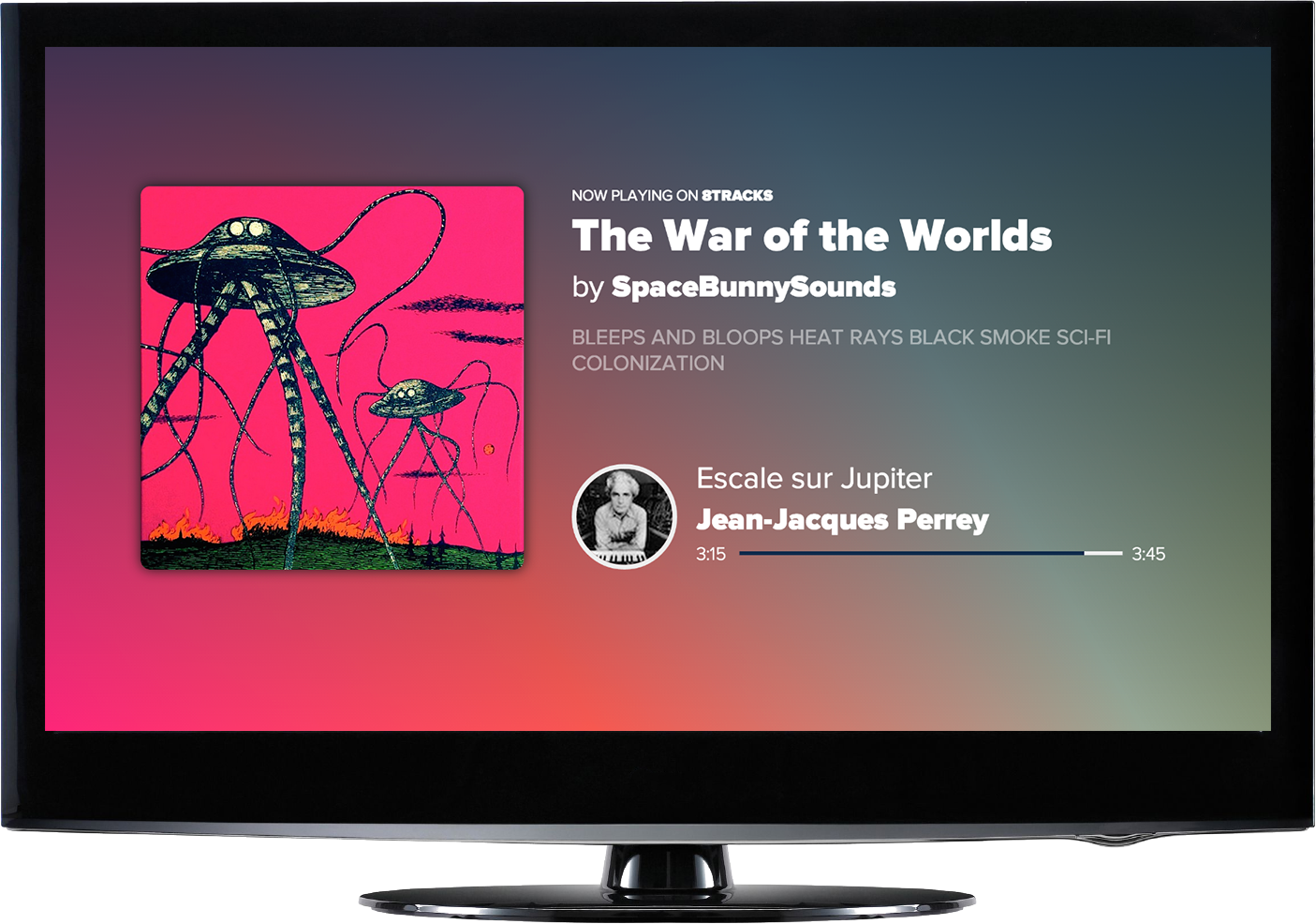
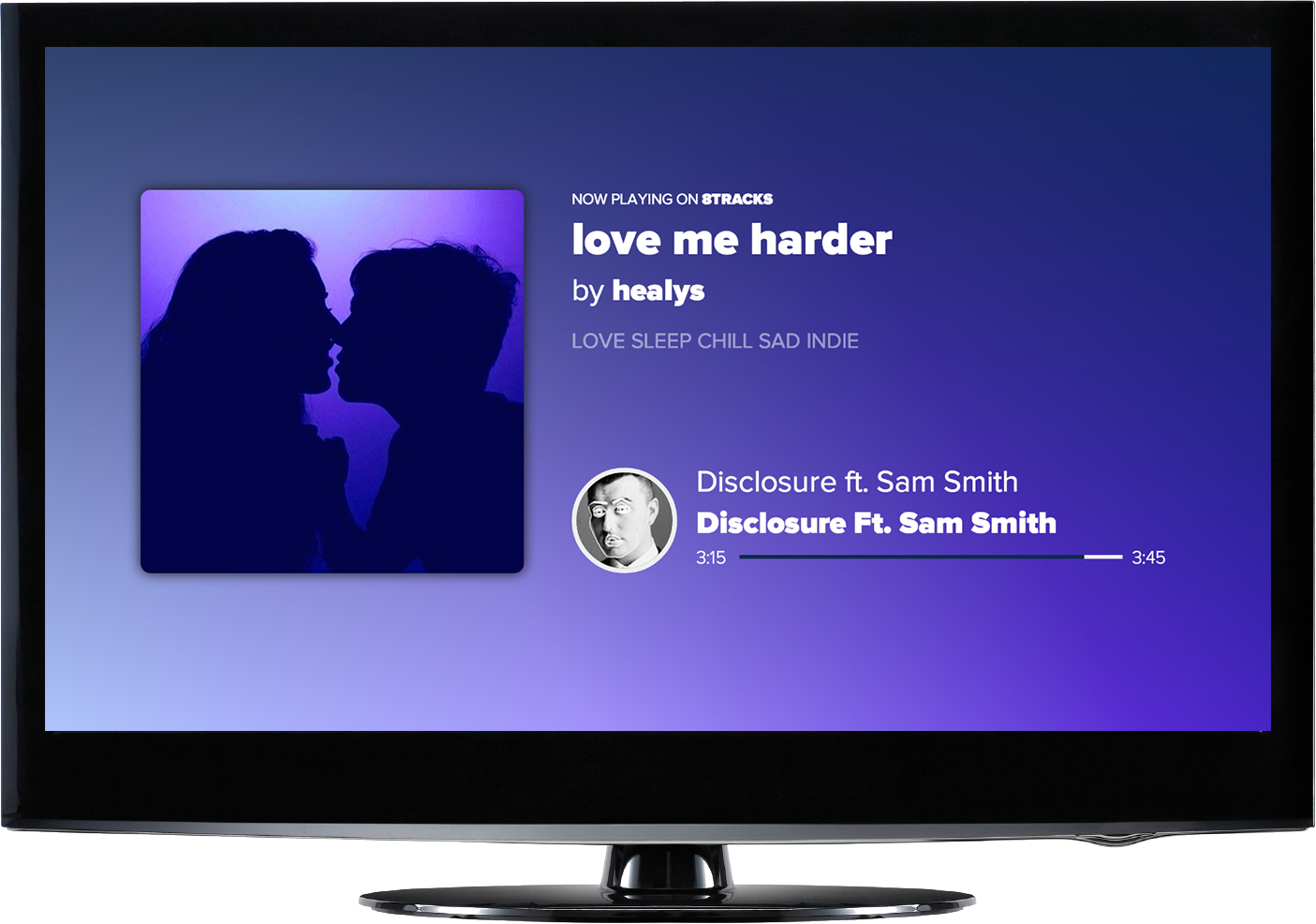
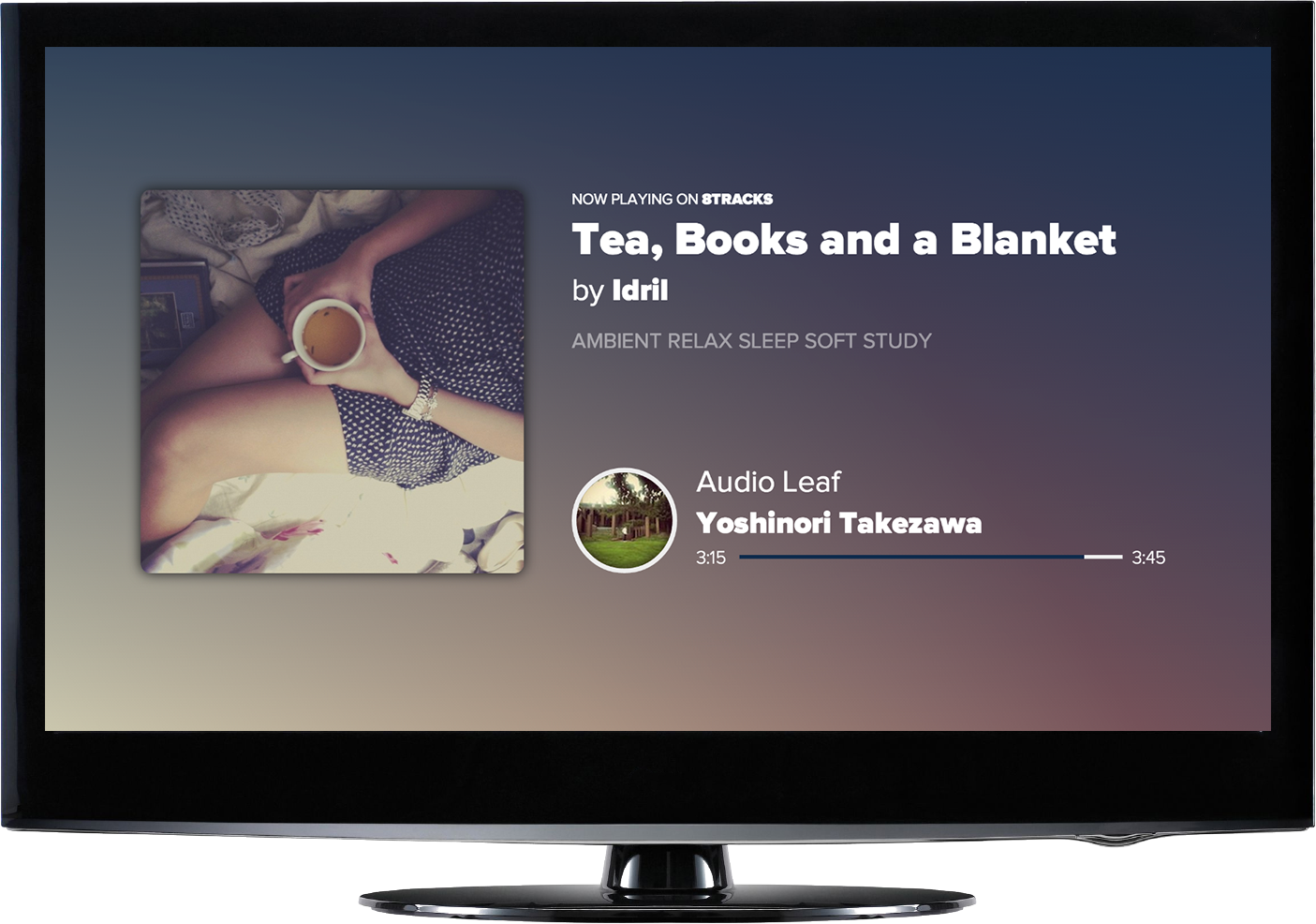
My favorite use of the content-aware design approach was the Chromecast extension. The TV-sized canvas let the artwork breathe: cover art fills the left half, playlist and track info sit large on the right, and a gradient sampled from the art washes across the whole screen.
07 · 8tracks iOS
4.5 stars and 12,000 five-star ratings
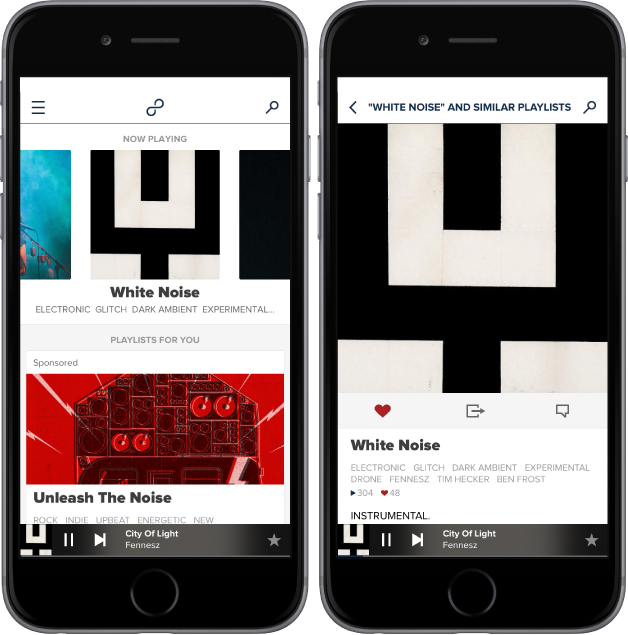
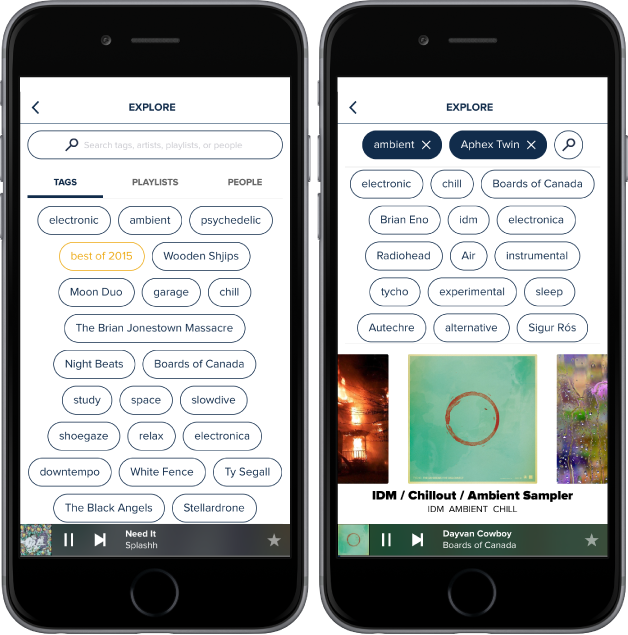
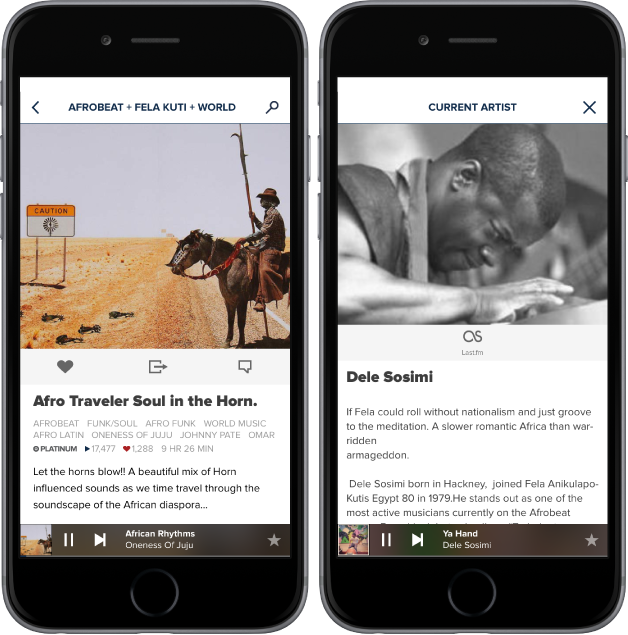
8tracks iOS 3.0 shipped in May 2014. By the time I left in December 2015 it averaged 4.5 stars on the App Store, with more than 12,000 five-star ratings. It carried the same content-aware system as the web, adapted for mobile: tag-based explore, playlist detail with annotations, and a persistent player with an artist bio panel.